Documentation Index

Fetch the complete documentation index at: https://docs.keystn.com/llms.txt

Use this file to discover all available pages before exploring further.

Overview

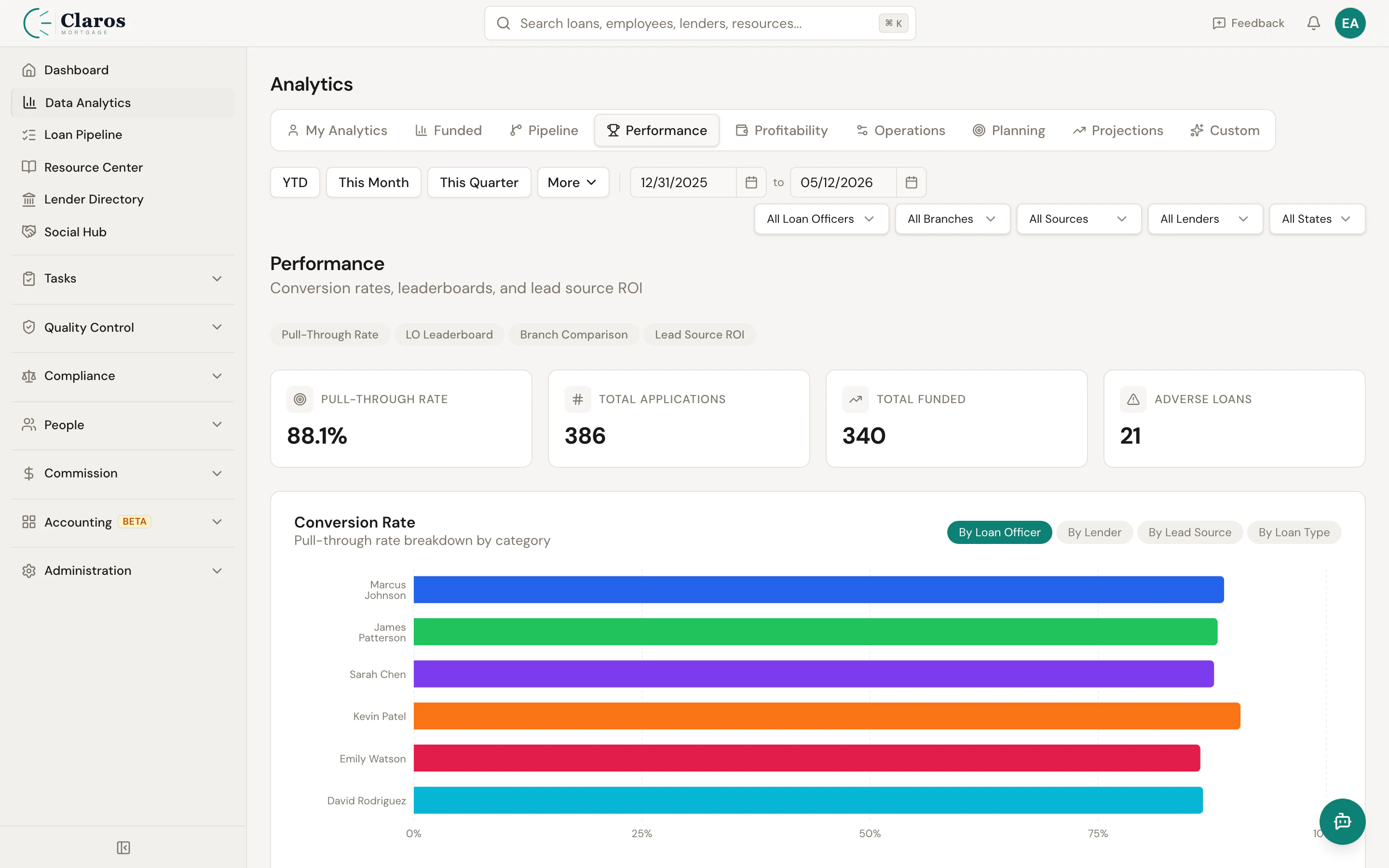
The performance leaderboard gives managers a single view to assess how each loan officer is performing. It combines production metrics (volume, units, revenue) with operational efficiency (pull-through, speed) and financial health indicators (draw balance), making it easy to identify top performers and those who may need support. Performance leaderboard

Leaderboard Metrics

Each loan officer row in the leaderboard displays the following metrics:
MetricDescription
NameLoan officer’s full name
VolumeTotal funded loan volume in the selected period
UnitsNumber of funded loans
RevenueTotal broker compensation earned
Pull-ThroughPercentage of applications that resulted in a funded loan. Calculated as (Funded Loans / Total Applications) x 100.
Avg Days to FundAverage number of calendar days from App Intake to Funded Date. Shows null if no loans have both dates populated.
Volume ChangePercentage change in volume compared to the prior period of equal duration. Helps identify trending up or down.
Draw BalanceCurrent draw balance for the LO, pulled from the employee record.
Draw AlertA warning flag that appears when the LO’s draw balance exceeds their estimated monthly earnings, indicating they may not be producing enough to cover their draw.

Sorting

The leaderboard is sorted by funded volume in descending order, so the highest-producing LOs appear at the top. All active loan officers are included, even those with zero funded loans in the period, ensuring a complete view of the team.

Pull-Through Rate

Pull-through rate measures conversion efficiency — what percentage of applications a loan officer successfully closes. It is calculated by:
Pull-Through Rate = (Funded Loans in Period / Applications in Period) x 100
Both the funded loans and applications are scoped to the same date range. A high pull-through rate indicates an LO who effectively qualifies and converts prospects. A low rate may signal issues with lead quality, borrower management, or file preparation.

Volume Change

When a date range is set, the system calculates the LO’s funded volume for the equivalent prior period and shows the percentage change:
  • Positive — Volume increased compared to the prior period
  • Zero — Volume stayed the same
  • Negative — Volume decreased
If no prior period data is available, this field is null.

Draw Balance Alerts

The draw alert system identifies loan officers whose draw balance may be outpacing their earnings. The alert triggers when:
Draw Balance > Estimated Monthly Earnings
Estimated monthly earnings are calculated by dividing the LO’s total revenue in the selected period by the number of months in that period. This provides an early warning for managers to review draw arrangements before balances become problematic.

Filtering

The performance leaderboard supports filtering by:
FilterDescription
Date RangeScope the analysis to a specific time period
Loan OfficerFocus on a single LO (useful for detailed review)
BranchFilter to loan officers in a specific branch
Lead SourceFilter by the lead source on funded loans
LenderFilter by the lender on funded loans

Using Performance Data

Weekly Sales Meetings

Use the leaderboard during weekly sales meetings to review:
  • Who is on pace for their targets
  • Which LOs saw volume increases or decreases
  • Pull-through rates that may indicate coaching opportunities

Draw Reviews

Review draw alerts monthly to identify LOs who may need their draw amounts adjusted or who need production support.

Trend Analysis

Compare period-over-period volume changes to spot LOs who are trending upward (potential for increased responsibility) or downward (may need support or pipeline review).